
Before you begin
- Use a computer with Chrome or Edge.
- Prepare a data-capable USB cable, not a charge-only cable.
- Charge the battery sufficiently.
- Close programs that are using the device’s serial port.
- Back up important files from Storage before updating.
Update steps
1
Open Web Firmware Installer
Go to ziphers.space/flash.
2
Choose the board
Choose
ESP32-C5, then select Next.3
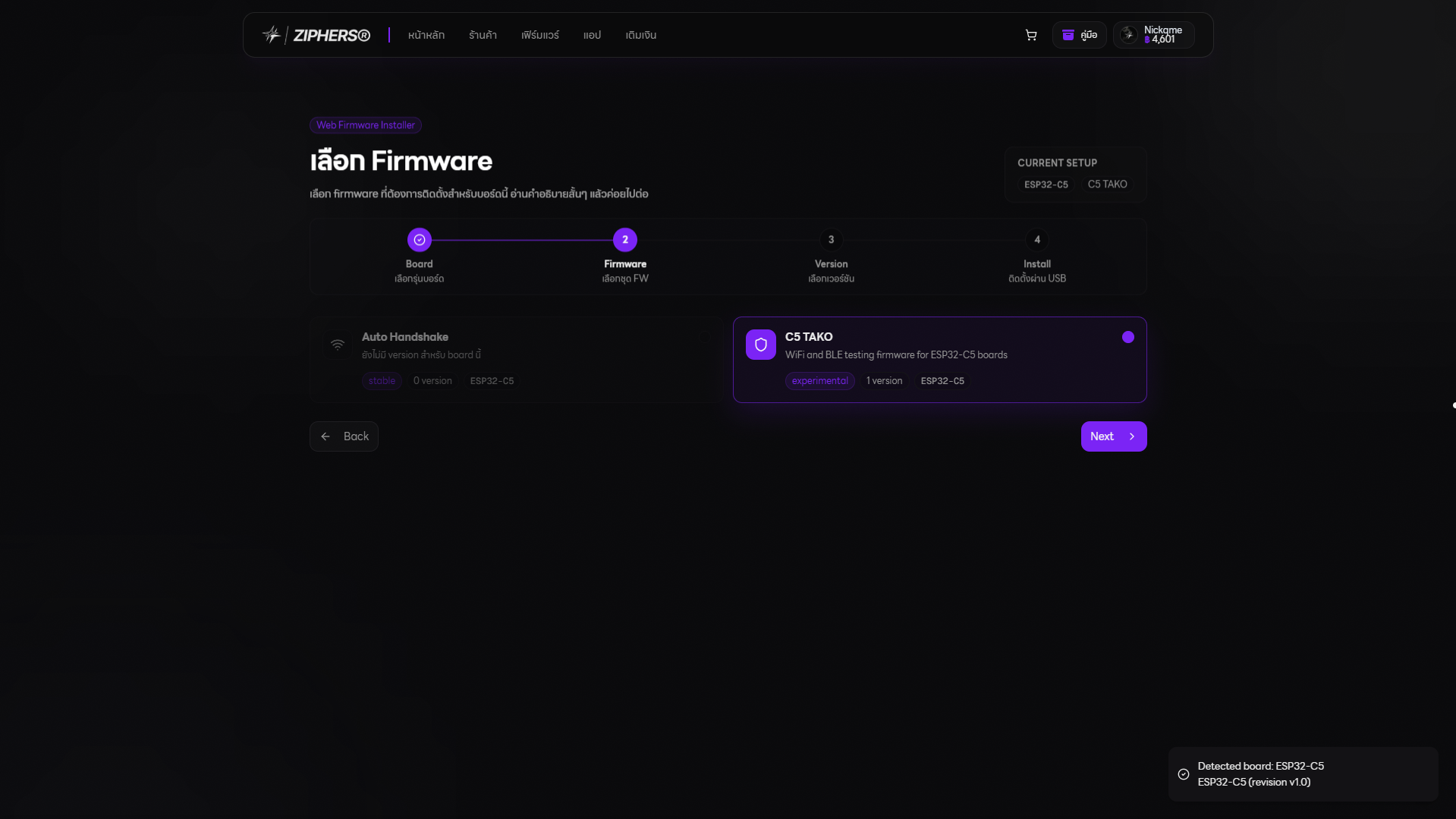
Choose firmware
Choose
C5 TAKO, then select Next.4
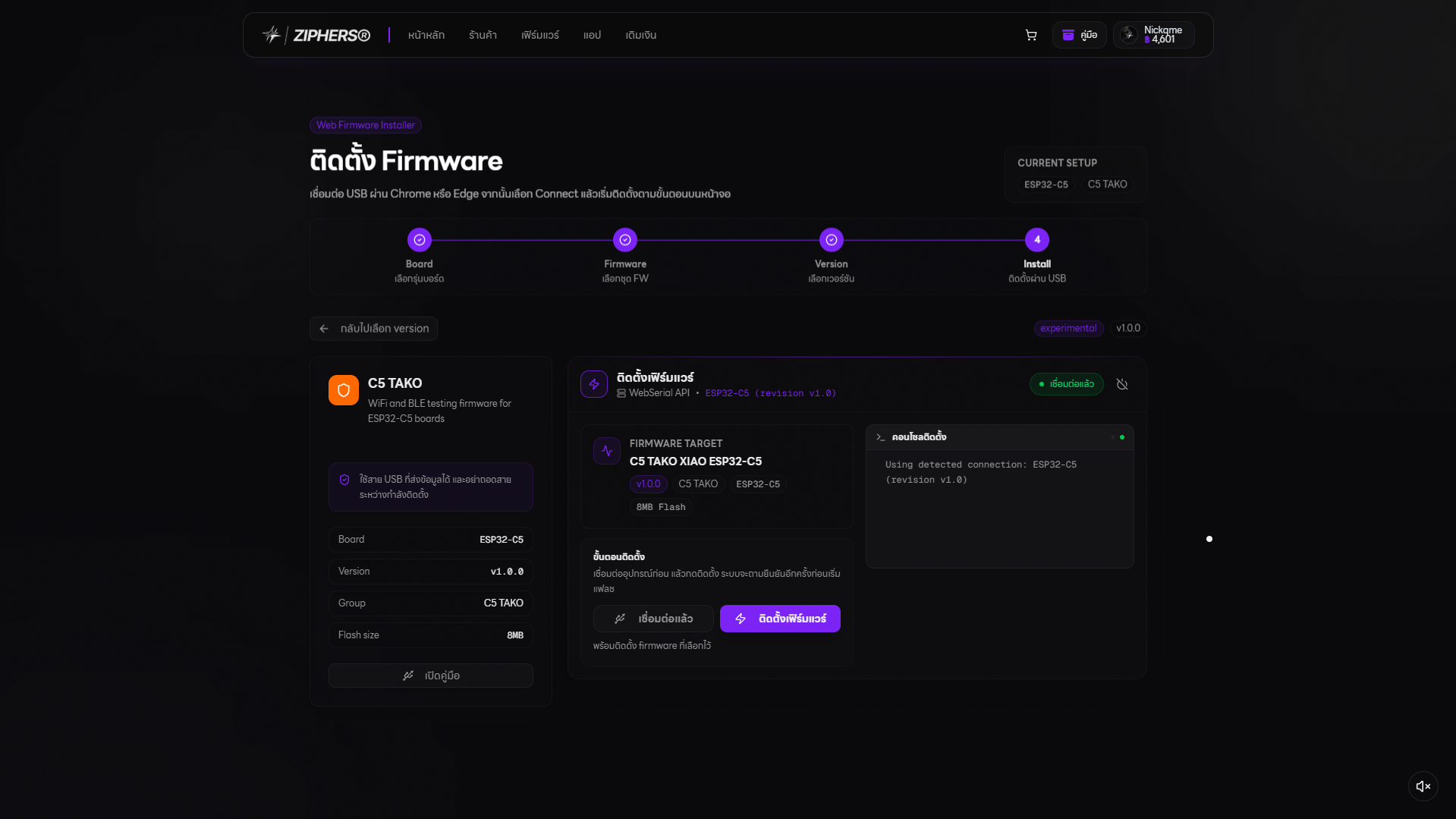
Choose a version
Choose the latest
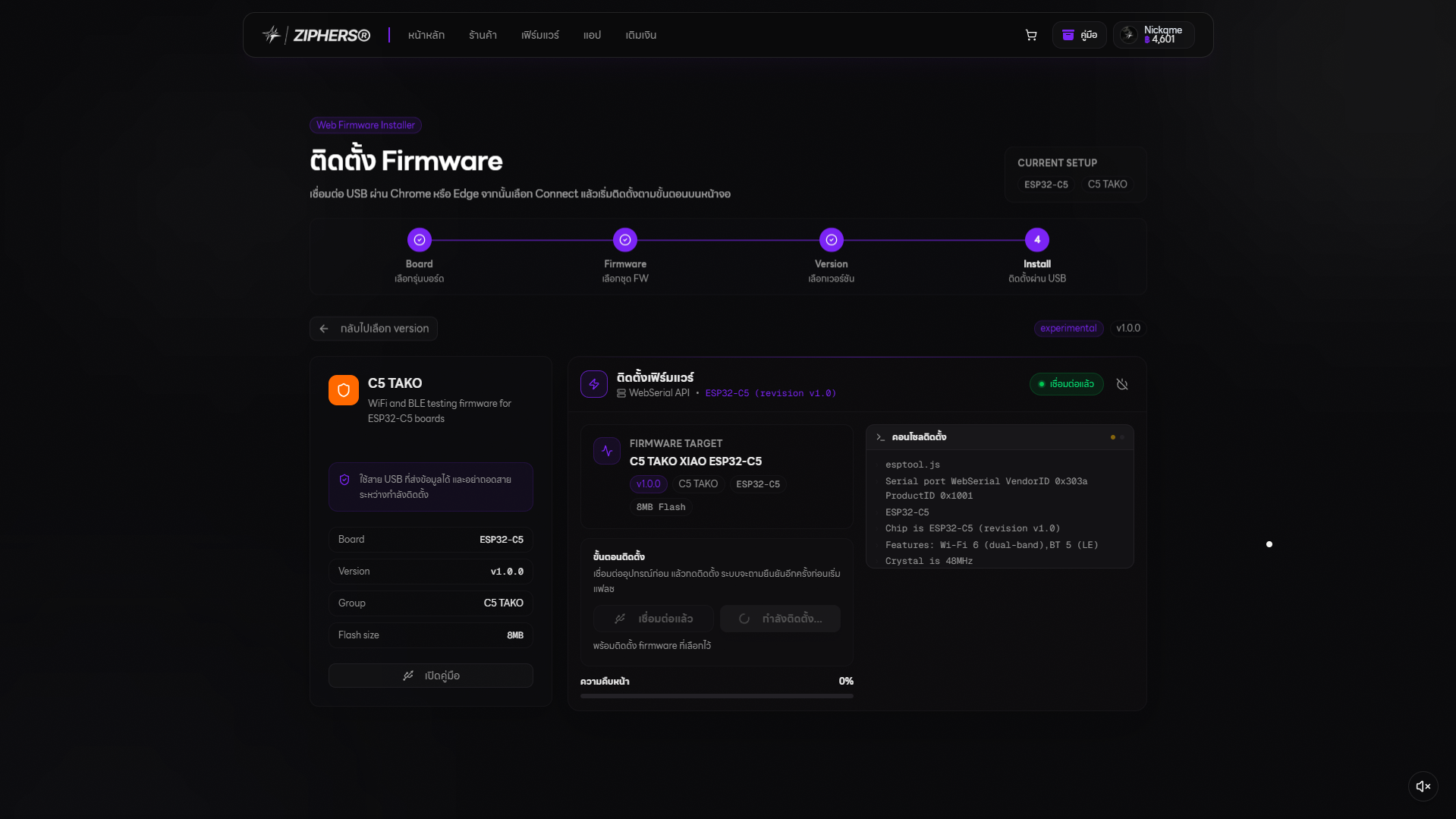
C5 TAKO XIAO ESP32-C5 version and confirm that it shows ESP32-C5 and 8MB Flash.5
Connect the device
Select the install page, then choose
Connect and select C5TAKO™‘s USB port in the browser dialog.6
Install
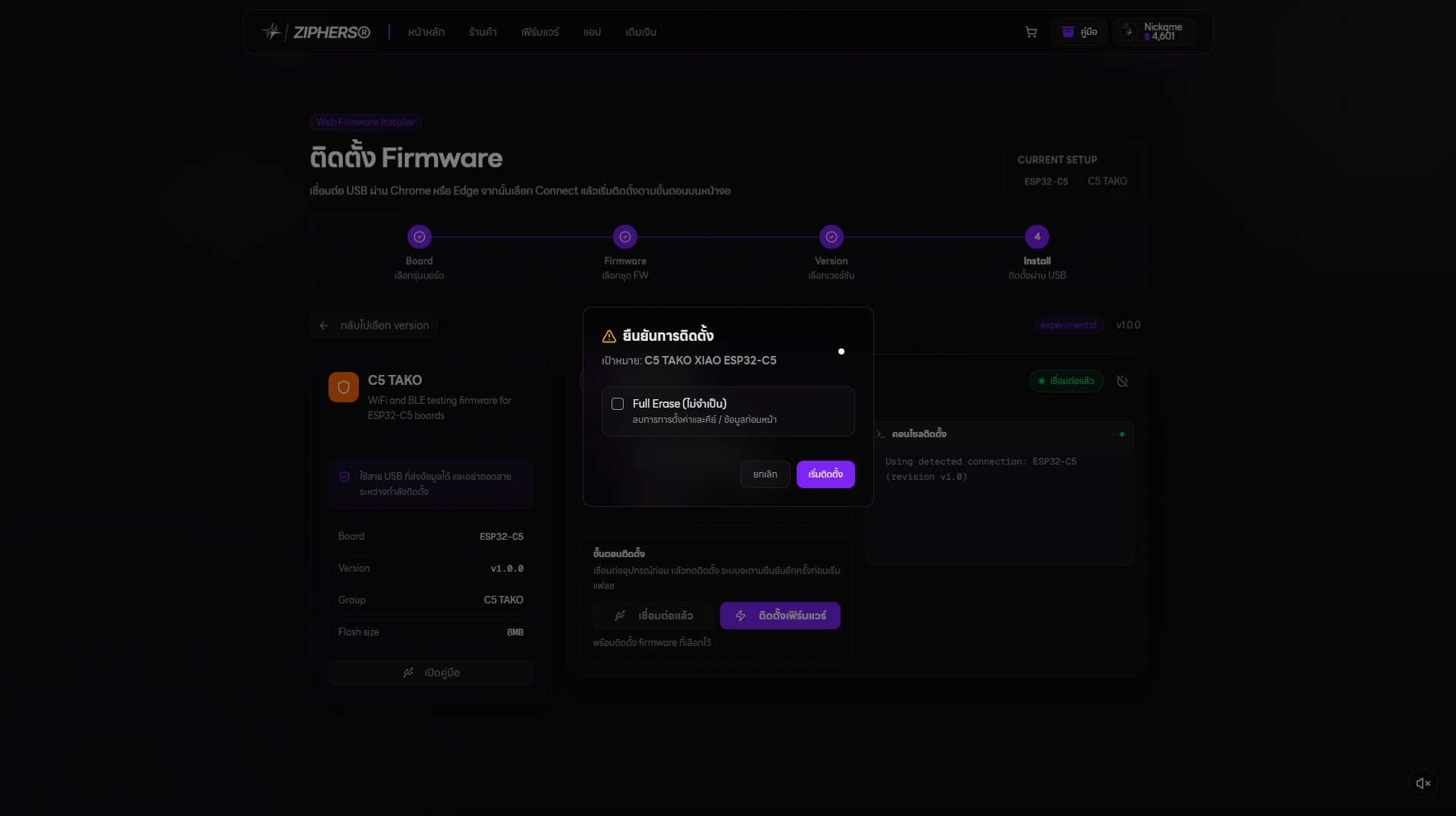
After connecting, the firmware-install button becomes available. Follow the on-screen instructions and wait for completion.
7
Restart
When installation finishes, turn the device off and on once, then confirm it reaches the main menu normally.
Web Firmware Installer screenshots
Choose the serial port and confirm that the board is ESP32-C5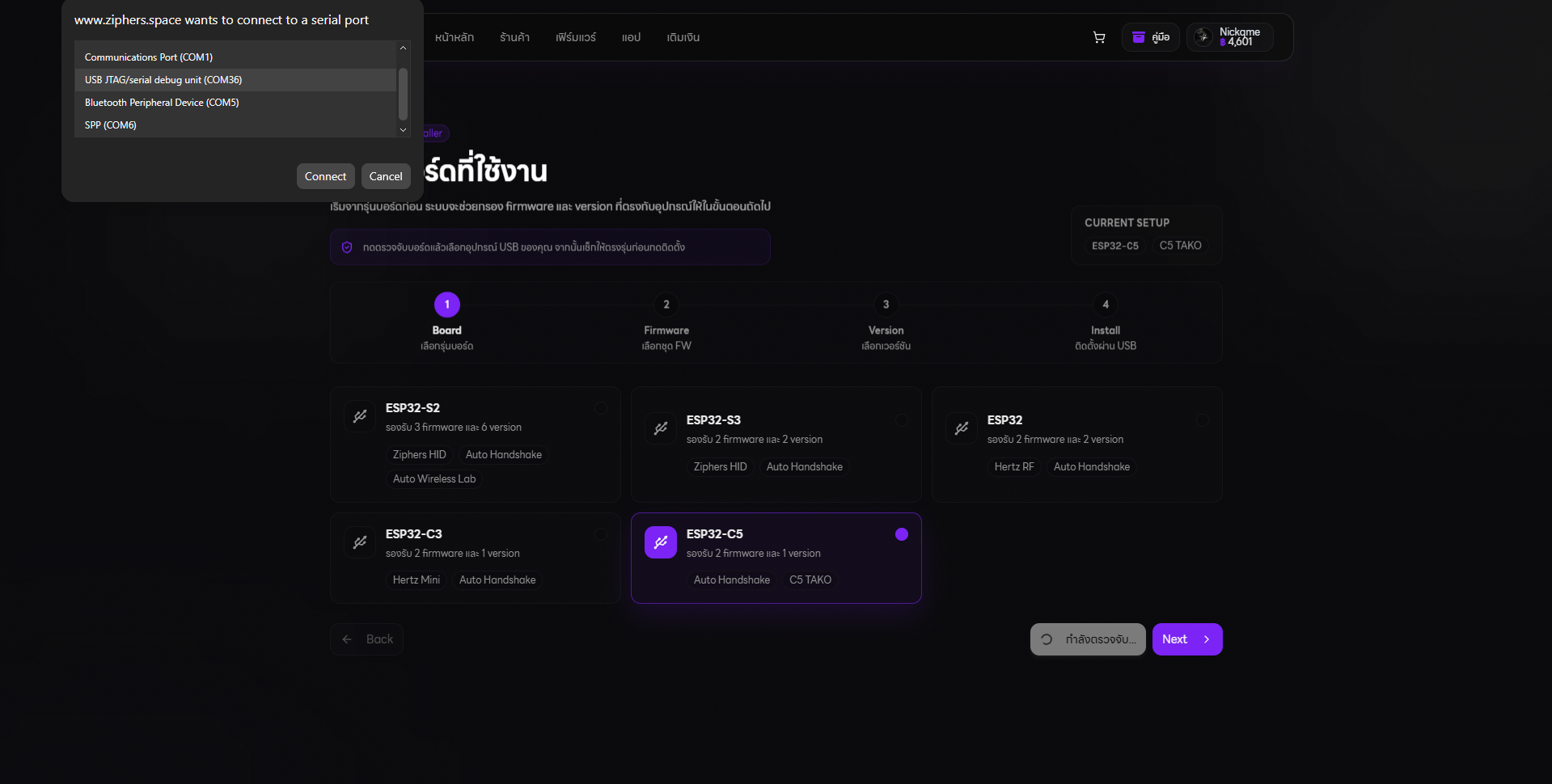 Choose C5 TAKO firmware
 Confirm C5 TAKO XIAO ESP32-C5 and 8MB Flash
 Confirm the installation
 Wait for installation to finish
🎬 Media to add: The complete update from cable connection to restart, blurring port names and device-identifying information.
If the website cannot find the device
- Use a data-capable USB cable.
- Connect directly to the computer, not through a USB hub.
- Close Serial Monitor, Arduino IDE, and any other program using the port.
- Unplug the cable, wait about five seconds, then reconnect it.
- Refresh the page and select
Connectagain. - If it is still not found, stop and contact the seller.
Version names on the website can change. Use
C5 TAKO, board ESP32-C5, and 8MB Flash as the main identifiers.